Organize and learn
Use workflow states for articles already in News Dashboard, the Reading List for links from anywhere, Collections for your own topics, and Learn when you want to turn a source into a structured lesson.
Set aside articles from Today
- Later holds articles you postponed and sorts them by return time. They return to Today automatically when their snooze period ends.
- Starred is the durable reference view. Star an article when you want to keep it easy to find and available to Ask's default saved corpus.
These are account workflow states, not separate copies of the article. See Saved and read history for the timestamps and history they create.
Build a Reading List from any link
Reading List accepts an HTTP or HTTPS link to an article, video, channel, or other page. The app fetches preview details in the background when it can. You can reorder items, search or filter by kind, and move them among Unread, Done, and Archived without changing the Today workflow.
You can also import Pocket or Instapaper CSV exports and Omnivore JSON exports. An unavailable preview does not remove the saved link.
Group articles into Collections
Collections are your own named tags. Create a collection, then add or remove its tag from the article reader. A collection is independent of the article's workflow state, so an article can remain in a collection after you mark it Done or Archive it.
Turn reading into lessons
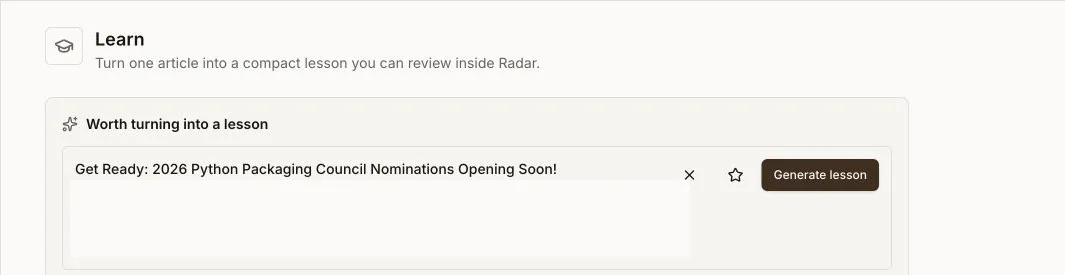
Learn creates a lesson from a URL. Choose a depth and audience persona, generate the lesson, then work through its explanation and study activities. The page can also suggest recent articles worth turning into lessons.
Lesson generation is an optional server-side AI capability. If generation is unavailable, the deployment operator must configure the required provider.
- Lesson Library lists previous lessons. Search them and filter by generation status or read-worthiness verdict, then reopen a lesson.
- Learning Recap summarizes lessons touched and completed, key concepts, repeated themes, unfinished lessons, and notable material for the week. You can generate the recap now. Podcast creation additionally needs a configured server-side audio path.
- Weekly Recap is separate: it summarizes reading activity such as articles, time, streak, top categories and sources, saved backlog, and reading depth.
Save article bodies for offline reading
From an article reader, use Save for offline. Offline Saved lists those explicitly saved articles and lets you open or remove the device-local copy. The app stores the article body in the browser cache and keeps a local index with its title, source, original URL, and save time. The app shell and those cached bodies remain available without a network after the production PWA has been loaded.
The Save offline action in Later can cache the bodies currently shown in that queue. Caching is best-effort: an article whose body cannot be fetched is skipped while the rest continue.
Offline storage is local to that browser profile and is bounded by the app's cache policy. Do not treat it as account-wide synchronization, a server backup, or a promise that uncached pages, original websites, triage actions, Ask, or lesson generation will work without a connection.